CASE STUDY / 01
SOL — Salon Booking & Management
An interactive booking experience for customers and a practical dashboard for managing the everyday work of a salon.
The original SOL application used Supabase. This portfolio demo is a separate local version: its fictional data stays in your browser and it does not connect to the original application.
Overview
SOL brings two connected experiences into one product: a straightforward booking journey for customers and a management interface for salon staff.
For this portfolio version, I focused on making the core interactions easy to explore with demo data, without requiring access to a live salon or private customer information.
The experience
Customer booking
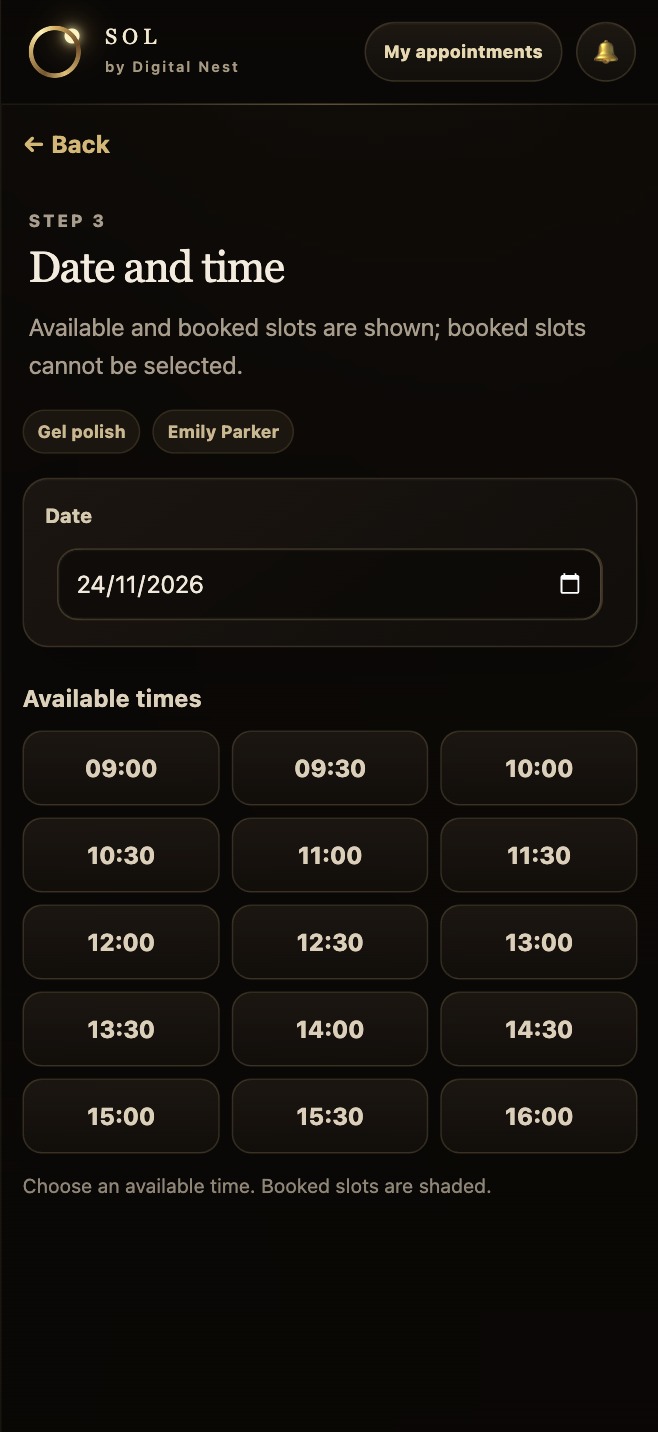
Customers browse treatments, choose a suitable member of staff, select an available appointment and confirm their booking. Booked times are shown as unavailable rather than disappearing.
Salon dashboard
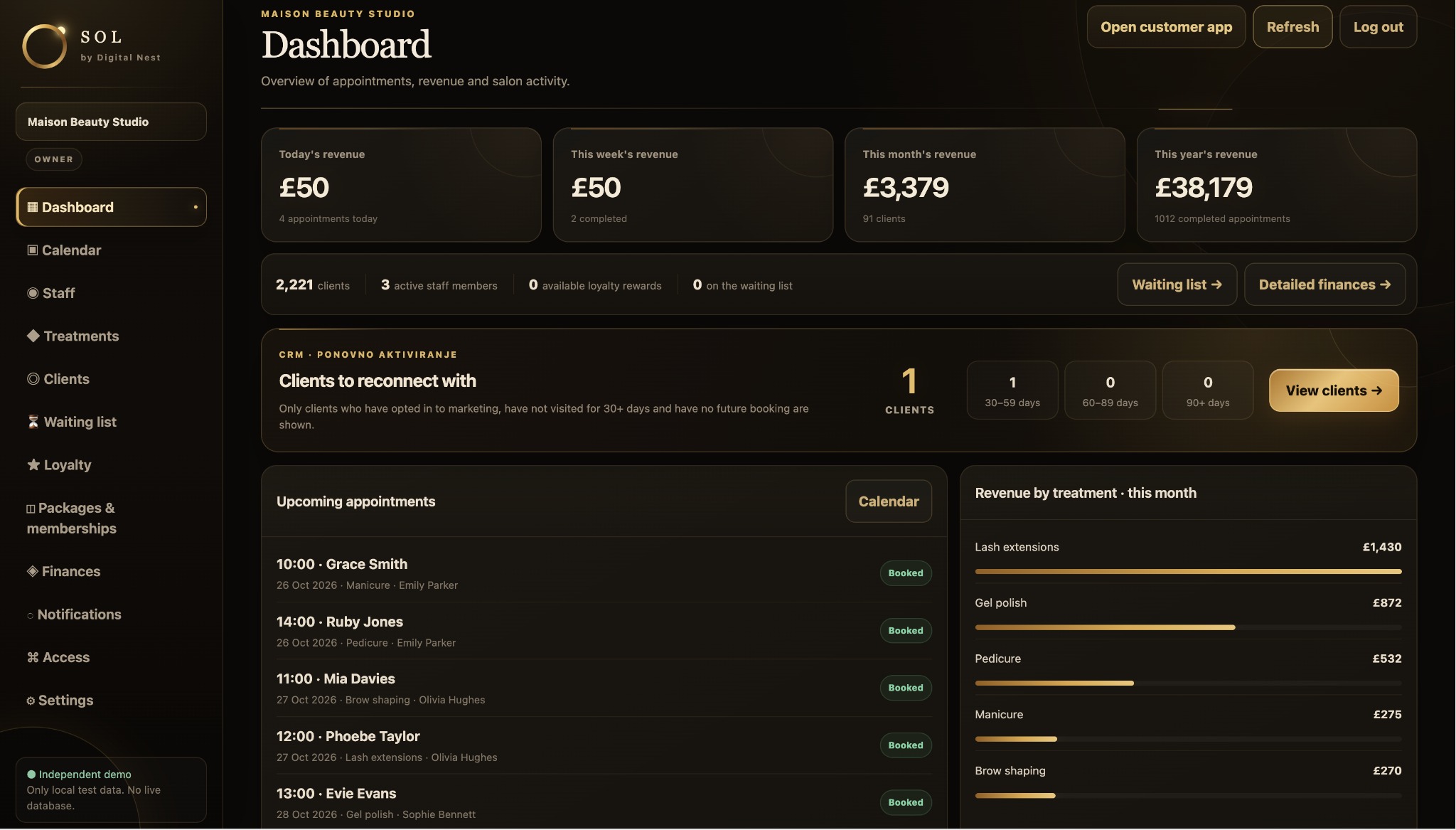
The admin interface brings together appointments, staff schedules, treatments, client records, financial summaries and salon settings. Different access roles help organise the interface around everyday tasks.
Loyalty and customer history
Completed appointments contribute towards loyalty progress, with visit history and rewards displayed alongside client information.
Design & development
The customer and admin interfaces serve different needs, so I worked on separate layouts while keeping form behaviour, visual language and interaction patterns consistent. Particular attention went into the multi-step booking journey, disabled appointment slots and readable mobile administration.
The UK portfolio edition uses fictional client records and locally stored demonstration data. It can be explored without connecting to a live salon database. Push notifications are not active in this demo, and no real customer details are required.
Challenges and solutions
Keeping the booking journey clear
Breaking a longer task into treatment, staff, date and confirmation steps gives customers a clear sense of progress. Unavailable times remain visible, helping explain why a slot cannot be selected.
Managing realistic demo data
A portfolio visitor needs to explore appointments, clients and loyalty screens without production credentials. Local demo data makes those journeys available while keeping the demonstration separate from the live business product.
Making a complex dashboard usable on mobile
Dense desktop views need careful spacing, smaller-screen layouts and consistent wording so that key admin actions remain understandable.
Under the hood
The UK portfolio edition is a self-contained browser demo. The application uses JavaScript to manage the booking flow and demonstration records, with data persisted in browser local storage. This lets visitors move between customer and admin views without setting up an account or connecting to a production database.
Local demo data
Appointments, clients and other sample records are stored in the visitor's browser. They are not shared with other visitors.
Booking rules
Service selection, staff availability and occupied appointment times shape the times a customer can select.
Repeatable demo
A dedicated demo start page can initialise fresh sample data, so the app can be explored from a consistent starting point.
No production services
Live push delivery and real payment processing are not part of this local portfolio demonstration.
What I learned
Building a multi-screen application helped me practise organising frontend behaviour, handling different UI states and testing full user journeys rather than isolated components.
It also reinforced how much detail matters: language consistency, sensible empty states, readable mobile layouts and predictable interactions all affect the experience.
PROJECT PREVIEW
Inside the application
Screenshots from the working SOL portfolio demo: the customer booking journey and the salon administration interface.
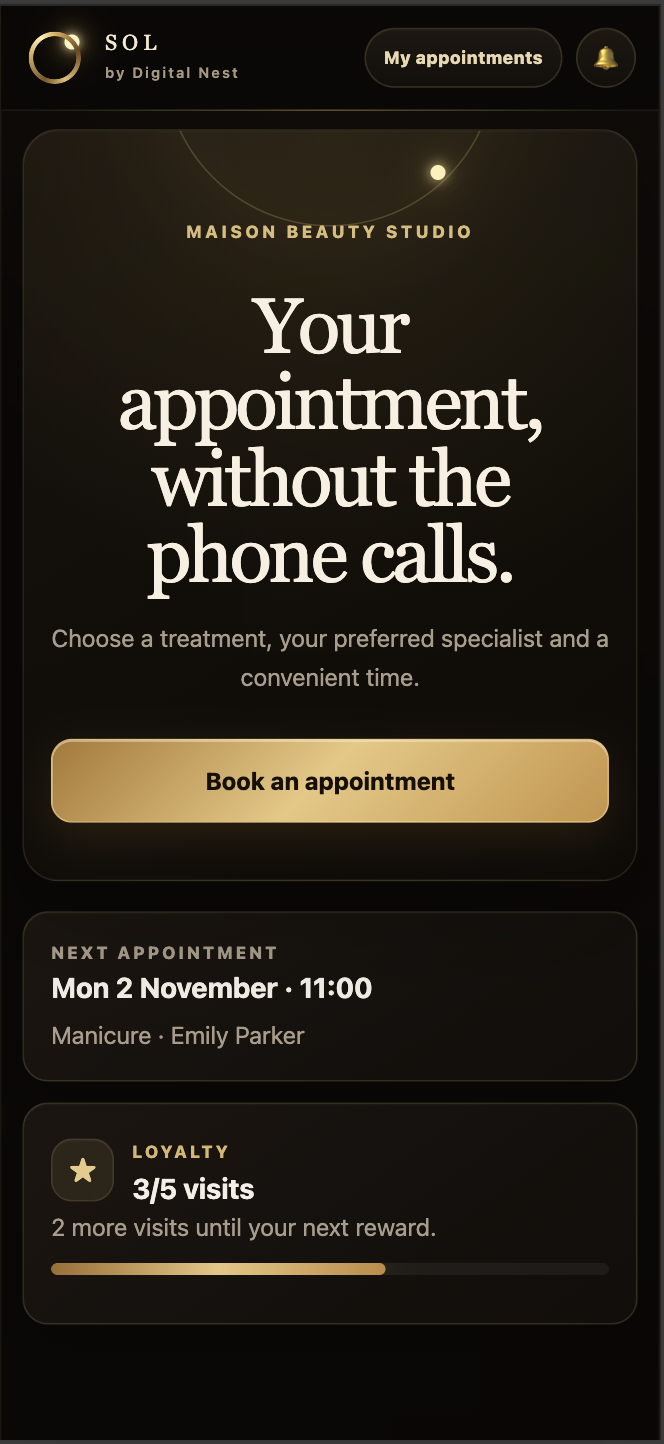 Customer bookingTry treatment selection, staff availability and appointment confirmation.Open live demo ↗
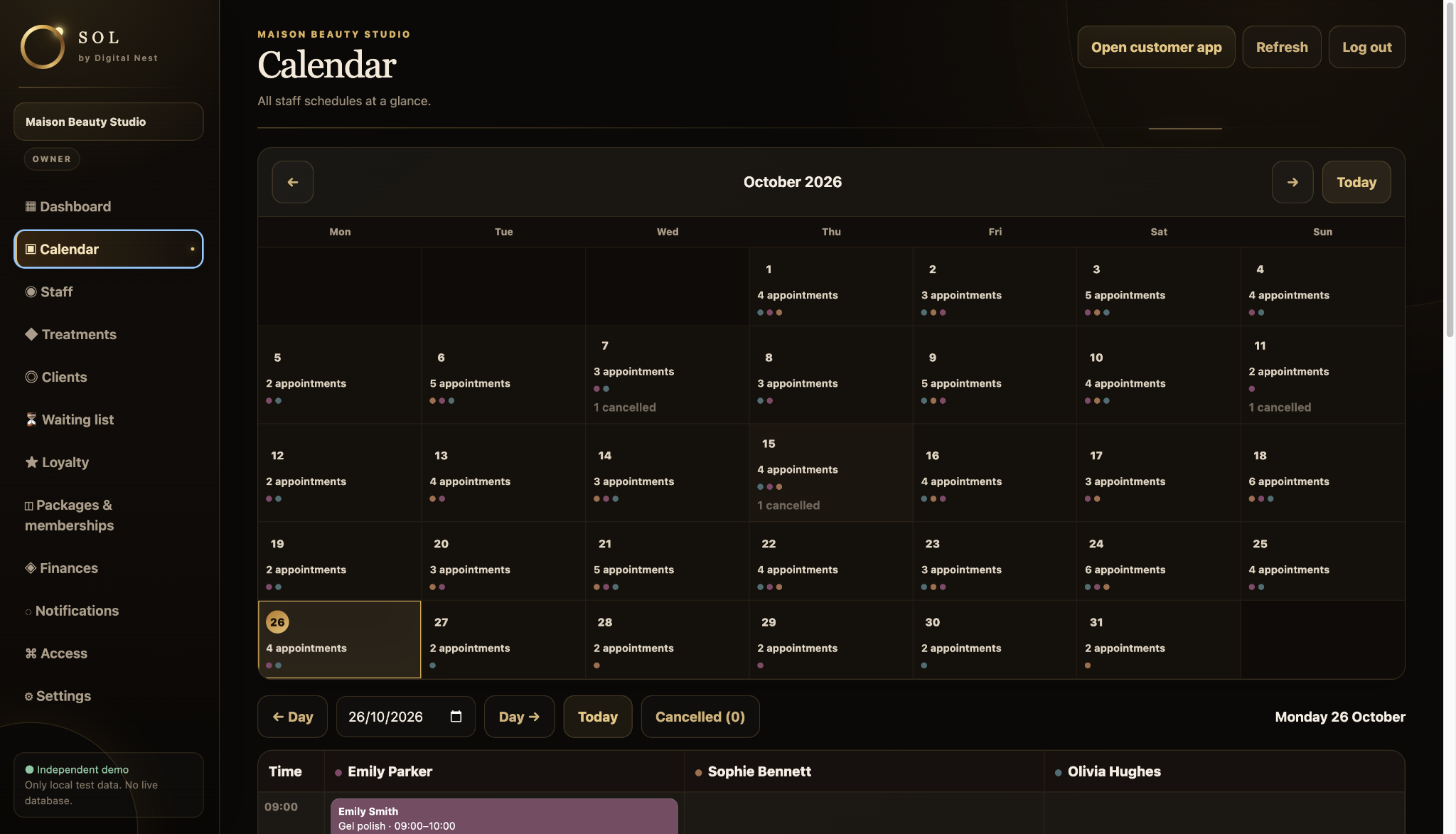 Salon administrationExplore appointments, staff schedules, calendar views, finances and loyalty progress.Open live demo ↗
See more of my work
View my GitHub ↗The interactive SOL portfolio demo is included in this project. GitHub provides my public development profile.