CASE STUDY / 03
3D Real Estate — Interactive Property Explorer
A browser-based property showcase that lets visitors explore a building, compare demonstration apartments and step inside selected layouts.
This English version is a portfolio demonstration. Apartment details and marker positions are illustrative; the 3D model does not define actual apartment boundaries.
PROJECT PREVIEW
See the experience
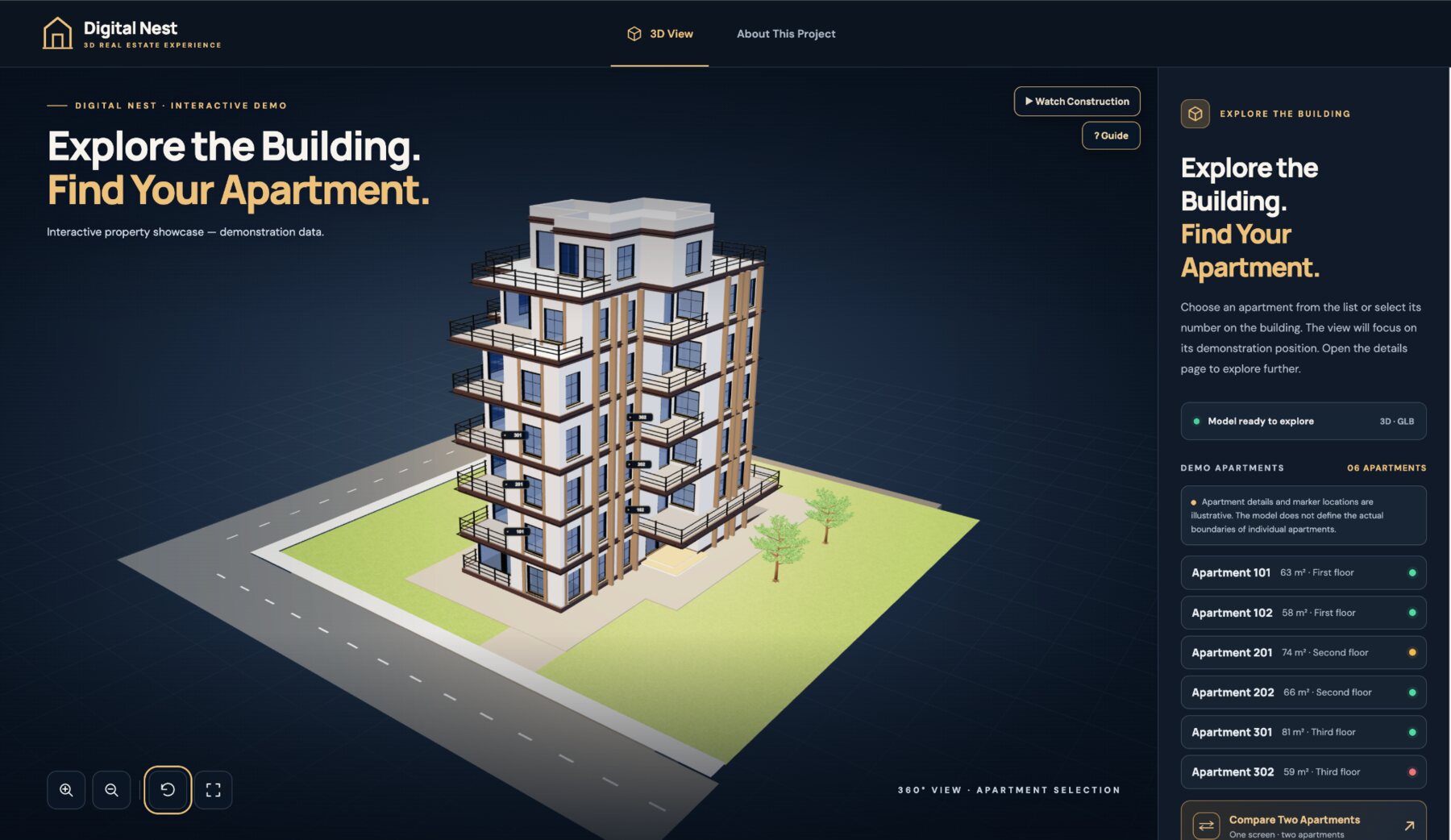
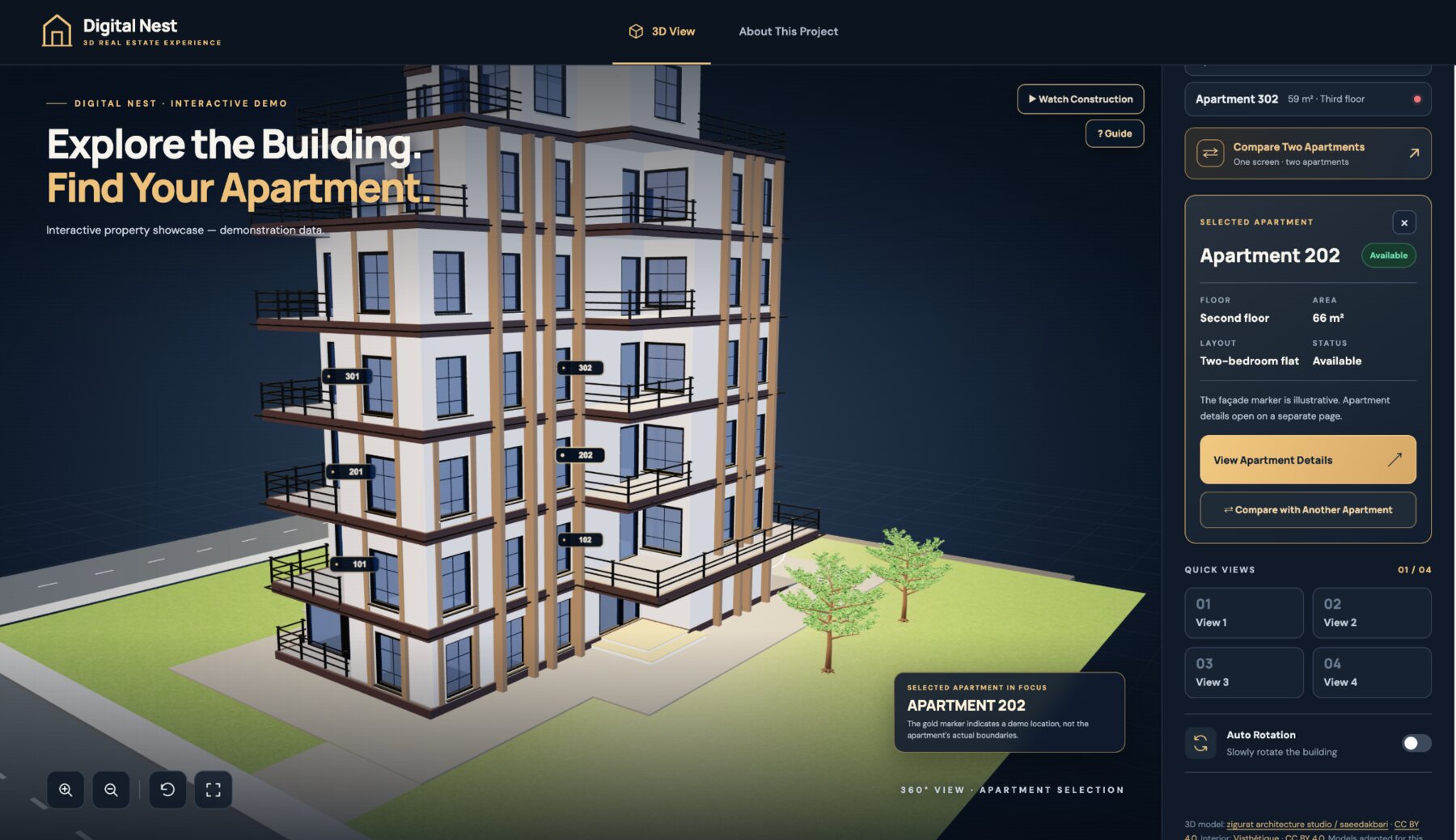
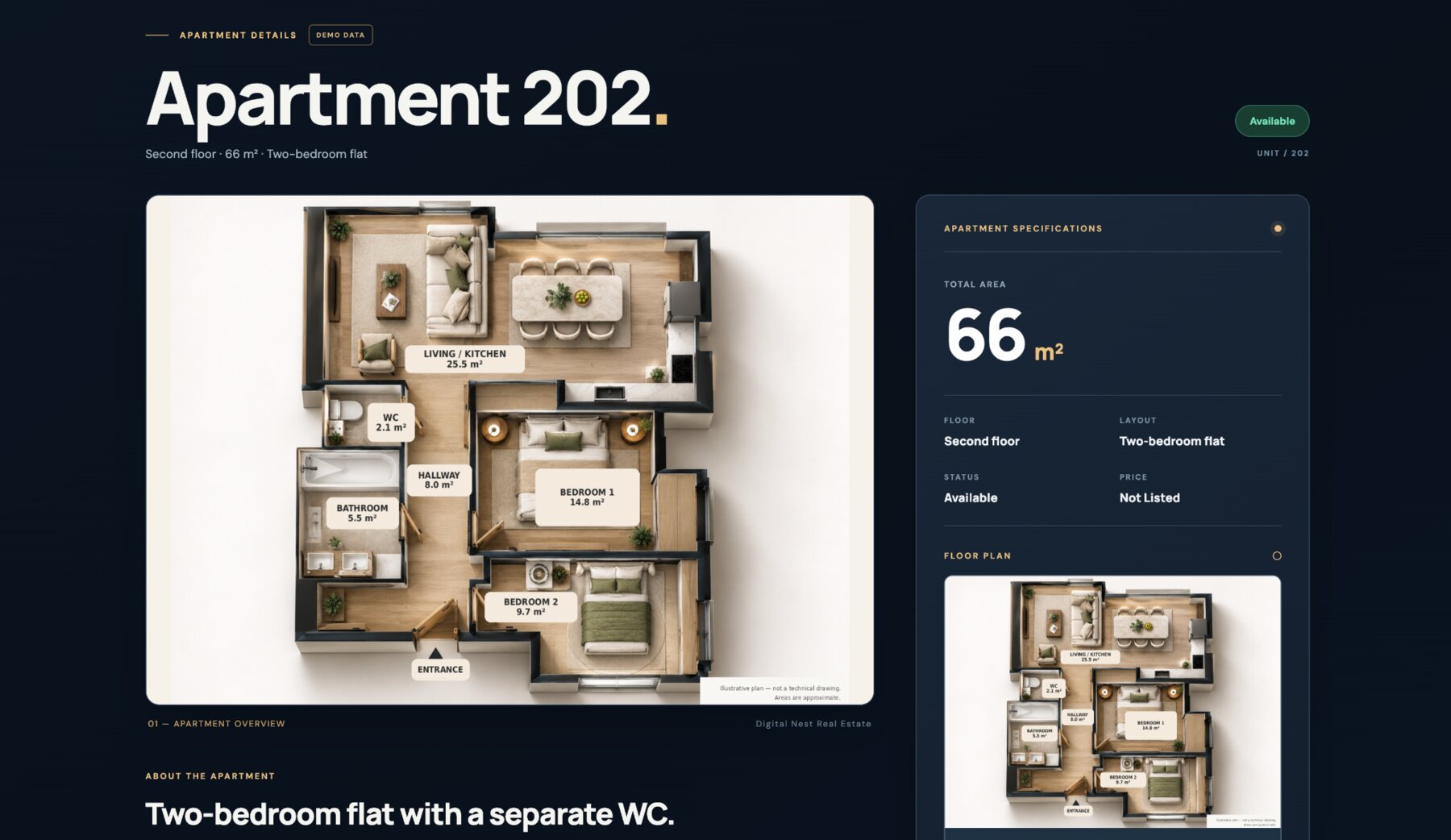
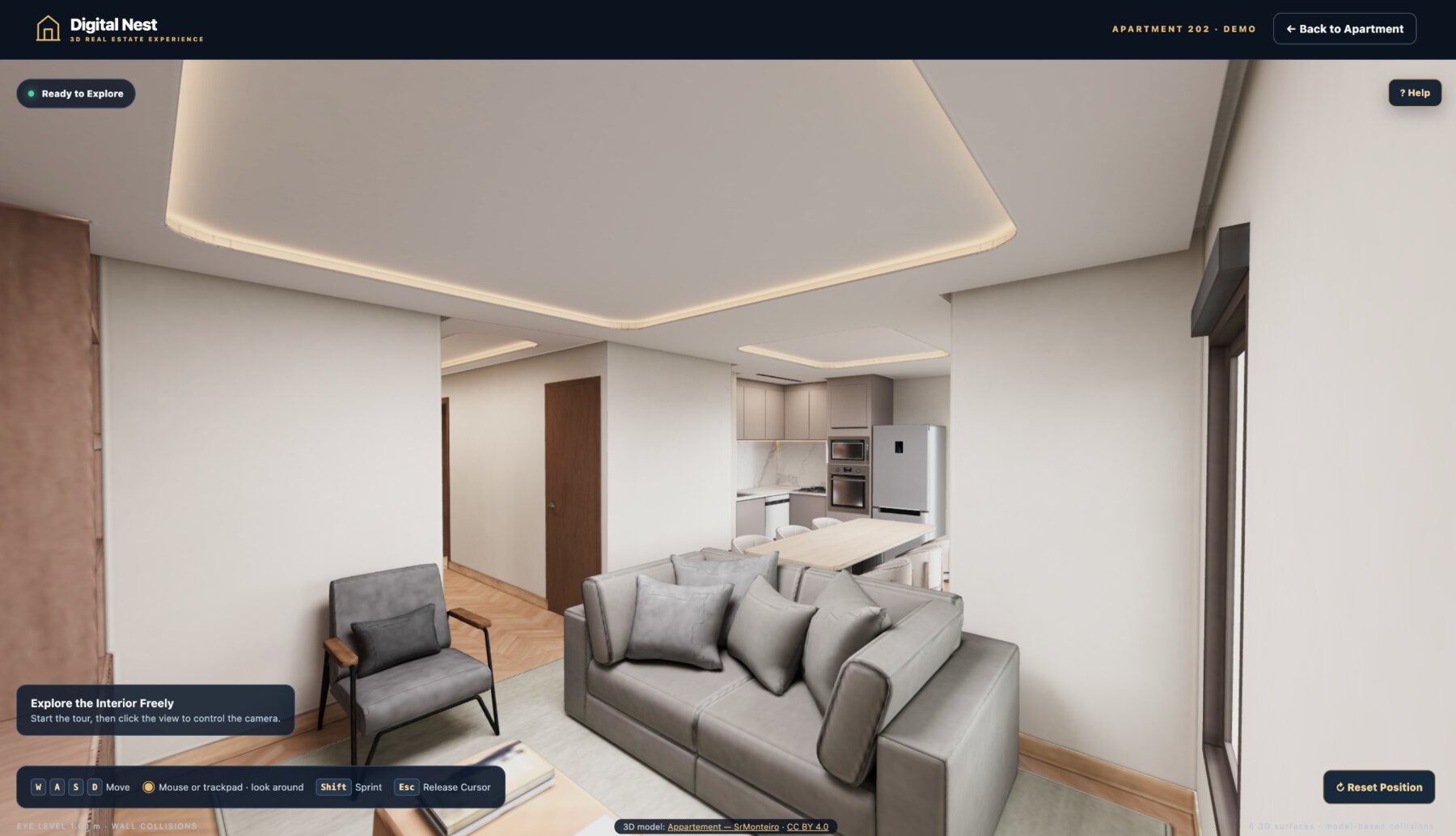
Real screenshots from the English demo, showing the building, apartment selection, floor plan and interior walkthrough.
Overview
3D Real Estate presents a residential building as an interactive browser experience. Visitors can inspect the exterior, select a demonstration apartment and continue into more detailed property views.
I developed this as part of Digital Nest and adapted the English version for portfolio demonstration. The project brings together a prepared 3D environment and a set of interface controls designed to make exploration understandable on desktop and mobile.
The experience
Explore the building
Visitors can rotate and zoom the building, reset the camera, switch between quick views or enable slow automatic rotation.
Find and compare apartments
Six demonstration apartments can be selected from the list or by choosing a marker on the building. A comparison view places two apartments side by side.
Continue into the property
Apartment detail views connect the 3D overview with floor plans, downloadable information and an interior walkthrough for selected layouts.
Design & development
I prepared the building scene and surrounding environment in Blender, then brought the GLB models into a browser-based interface. The page combines the 3D viewer with clear controls and an apartment list, keeping the main actions visible alongside the model.
The experience was refined for both desktop and mobile use. Short guidance helps first-time visitors understand how to rotate the model, choose an apartment and move into its details.
Challenges and solutions
Making a 3D model useful for a property search
The building is paired with apartment markers, a selectable list and clear detail routes, so the model supports a concrete browsing task.
Keeping controls clear around a large viewer
Camera controls, quick views and apartment information are grouped into a supporting panel, with layout adjustments for smaller screens.
Separating demonstration information from real property data
The English demo labels its apartment data as illustrative and keeps the experience self-contained for portfolio visitors.
Demo scope
The live English site is for demonstration. Its apartment names, details and marker positions are examples, and the model should not be interpreted as a survey of actual unit boundaries. The site does not include investor contact or sales functionality.
What I learned
This project gave me practical experience combining a 3D scene with a multi-step property exploration flow. I worked across scene preparation, responsive interface design, JavaScript interactions and hands-on testing on phone and desktop.
It also showed how small guidance cues and clear controls can make a complex visual experience easier to explore.
Explore the project
Open the live 3D demo ↗The English site is presented here as a technical portfolio project.