CASE STUDY / 04
QR Ordering — Café Ordering System
A mobile-first ordering journey that connects a table menu with a staff dashboard, from the first drink selection through to order completion.
The original QR Ordering application used Supabase. This portfolio preview uses browser localStorage instead and does not connect to the original application. Open the customer menu and staff dashboard in the same browser and on the same site to see updates; no real orders are sent.
Overview
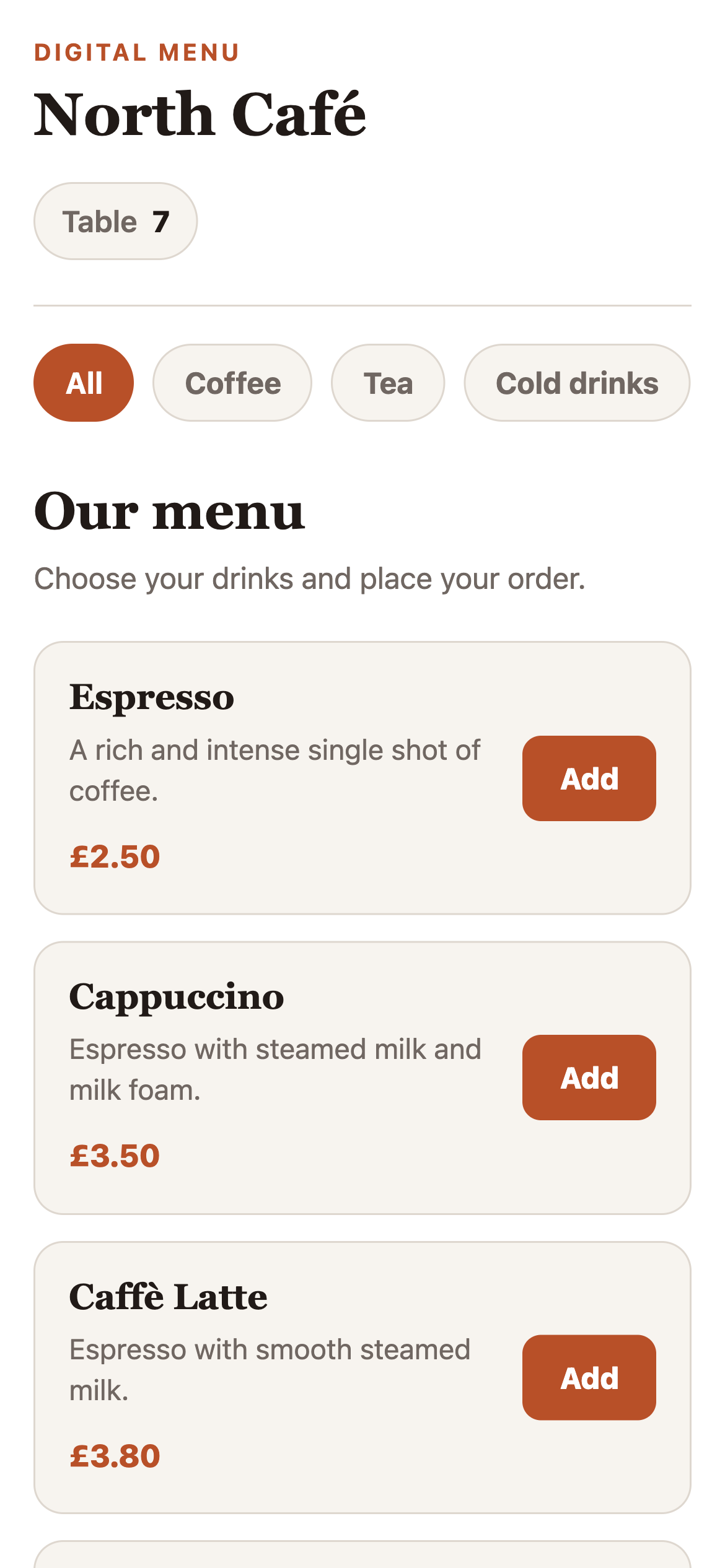
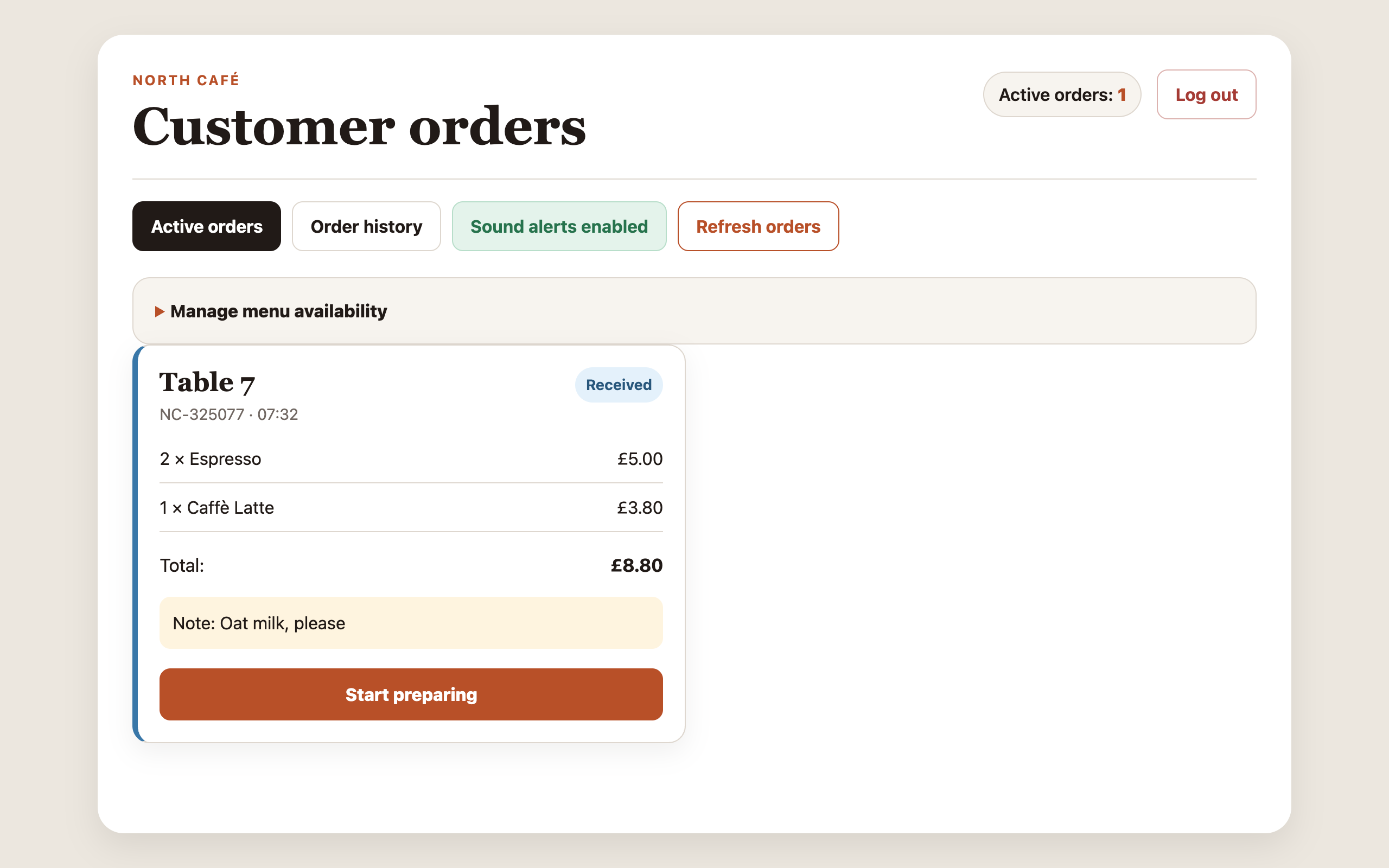
QR Ordering gives café customers a direct route from a table QR code to a digital menu and order. The staff side brings incoming orders and menu availability into a separate dashboard.
The portfolio version keeps the complete interaction available without relying on the original hosted backend. It uses fictional menu items and browser-local data so visitors can explore both sides of the flow.
The customer flow
Open a table menu
A table number in the page address identifies the customer’s table and carries through to the basket and order.
Build an order
Customers browse menu categories, add drinks, adjust quantities and include an optional note before placing an order.
Follow order progress
The customer view reflects staff updates as an order moves from received to preparing, ready and served.
The staff workflow
The dashboard separates active orders from completed orders. Staff can advance each order through its statuses, manage which drinks are available and enable a sound alert for incoming orders.
How the demo works
The interface is built with HTML, CSS and vanilla JavaScript. In this portfolio edition, one localStorage data store is shared by the customer page and staff dashboard. Browser storage events and page refreshes keep the views in sync when both pages use the same browser profile and origin.
This is intentionally a single-browser demonstration. It does not synchronise data between different visitors or devices.
Demo scope
Menu items, prices and orders are fictional. The demo does not process payments, send orders to a café or use real customer information. Clearing the browser’s site data removes its saved demo state.
What it demonstrates
This project brings together a customer-facing mobile flow and an operational dashboard. It demonstrates form handling, cart calculations, persistent browser state, status transitions and consistent responsive interface patterns across two related views.
Try the complete ordering flow
Use both pages in the same browser to see local demo orders update.